
Java has a couple of “nice” features, specifically:
Built-in locks
Baked in support for object serialization
Now I don’t want to get into a war about how both of these are flawed (there was a reason that I put “nice” in quotes) but here is a quick note on how to make the two play nice (more as a reference to myself… but if others find this useful, well and good).
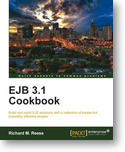
The kind people at Packt gave me a copy of “EJB 3.1 Cookbook” by Richard M. Reese to review. This book should be viewed as a collection of building block recipes, not as a collection of meal plans, and not as a how to cook book that you would read from cover to cover. When I look at the book from this point of view, I think that it is well structured and put together and the content is pitched just about right. This book does not tell you when to use a specific recipe, so it would be a mistake to think that this is the only book you would need for EJB 3.1. However, when you need a “Béchamel sauce”, this is a book that you can go to, quickly find and open up the right section and read the recipe to refresh your mind and get cooking.
There has been this idea running around the back of my head for a while, and it’s only now that it is starting to crystalize into something that I can express.
When we look at Open Source projects, we see that there is a hierarchy of involvement. There are different levels at which you can be involved, and at each higher level, there will be less and less individuals. For now I am going to divide involvement up like this:
In relation to http://dhanji.github.com/#unit-tests-false-idol here is the tail of the worst test case I ever came across…
In a former employers, there was an employee who we will call Kevin McCallister in order to protect the guilty. In any case, for various reasons, I ended up having to maintain some of the code that Kevin wrote…
I ran all the test cases and measured the code coverage, it seemed high and there were lots of test cases… but bugs a plenty kept on hitting me… I finally found the answer in one test class… which looked a little something like this:
This is a tail about Jenkins (née Hudson) and Kohsuke’s policy of maintaining backwards compatibility…
Back in 2006 I started working for my previous employer, just a month or two after Peter Reilly started. Initially we were working on the same team. This was a team who’s CI system was a nightly cron job that emailed off a list of failing tests to everyone… obviously Peter and I had many a WTF over that old system… so I convinced our boss that we should put some effort into setting up a proper CI system… Initially this was CruiseControl (as he thought Hudson at version 1.64 was too new and unheard of… go with the old reliable)… but after a couple of pains with the CruiseControl system (monolithic xml config file), we convinced him to switch to Hudson… (I don’t think we ever looked back!)
In my previous post I showed how easy it is to run your java application on CloudBees’ RUN@cloud service. Today I’m going to use the CloudBees Deployer plugin for Jenkins that allows you to deploy your app to the cloud from your CI server. I am using the DEV@cloud Jenkins service for my CI infrastructure, but you can use this plugin from your own Jenkins (or Nectar) server.
So first step is to install the CloudBees Deployer plugin…
I work for CloudBees Inc., they are a great company with great products. I have mostly been working on the DEV@ side of the fence which is focused on continuous integration and basically the development side of your application, but we also have the RUN@ side of the fence where we provide a platform as a service (PaaS) for running your java web applications on the cloud. I could give you the sales pitch, but I’ll leave it at: the technologies and people behind RUN@ were one of the key reasons why I decided to join CloudBees.
The following quick and dirty bash script will take a pom and a jar and fake a maven build based on the source files for that that can be found in the current directory.
Really useful when running mvn dependency:analyze on a project you are validating POMs for.
#!/bin/bash

if [ "A$3" == "A" ]
then
    echo "Syntax: $0 pomfile jarfile dir"
    return
fi

rm -rvf "$3/src"
mkdir -p "$3/src/main/java"
cp -f "$1" "$3/pom.xml"
for name in $(jar -tf "$2" | sed -n -e "/\\$/d;s/\\.class/.java/p")
do
    echo -n "Looking for $name ... "
    loc="$(find . | fgrep $name | head -n 1)"
    if [ "A$loc" == "A" ]
    then
        echo "NOT FOUND"
    else
        echo "$loc"
        mkdir -p "$3/src/main/java/$(dirname $name)"
        cp "$loc" "$3/src/main/java/$name"
    fi
done
OK, so a while back I posted my bash script for selecting the maven version to use for the current session http://s.apache.org/FQ2
Now that I have a Mac for my full time development machine, I thought I would share my version of these functions for Mac users:
usemvn ()
{
    if [ -z "$1" -o ! -x "/usr/share/java/maven-$1/bin/mvn" ]
    then
        local prefix="Syntax: usemvn "
        for i in /usr/share/java/maven-*
        do
            if [ -x "$i/bin/mvn" ]; then
                echo -n "$prefix$(basename $i | sed 's/^maven-//')"
                prefix=" | "
            fi
        done
        echo ""
    else
        if [ -z "$MAVEN_HOME" ]
        then
            export PATH=/usr/share/java/maven-$1/bin:$PATH
        else
            export PATH=$(echo $PATH|sed -e "s:$MAVEN_HOME/bin:/usr/share/java/maven-$1/bin:g")
        fi
        export MAVEN_HOME=/usr/share/java/maven-$1
    fi
}

useant ()
{
    if [ -z "$1" -o ! -x "/usr/share/java/ant-$1/bin/ant" ]
    then
        local prefix="Syntax: useant "
        for i in /usr/share/java/ant-*
        do
            if [ -x "$i/bin/ant" ]; then
                echo -n "$prefix$(basename $i | sed 's/^ant-//')"
                prefix=" | "
            fi
        done
        echo ""
    else
        if [ -z "$ANT_HOME" ]
        then
            export PATH=/usr/share/java/ant-$1/bin:$PATH
        else
            export PATH=$(echo $PATH|sed -e "s:$ANT_HOME/bin:/usr/share/java/ant-$1/bin:g")
        fi
        export ANT_HOME=/usr/share/java/ant-$1
    fi
}
Simply add the above into your ~/.bash_profile and you can use them from any bash shell.
#!/bin/bash

URL="$(svn info | sed -n -e '/^URL:/{s/URL: *//p}')"
ROOT="$(svn info | sed -n -e "/^Repository Root:/{s/Repository Root: *//p}")"
NEW_PATH="${URL#$ROOT}"
OLD_URL="$(sed -n '/< *scm *>/,/< *\/scm *>/p' pom.xml | sed -n '/< *connection *>/,/< *\/ *connection *>/{s/.*connection *> *scm:svn:\([^ <]*\)[ <].*/\1/p}')"
OLD_PATH="${OLD_URL#$ROOT}"
echo "OLD URL: $OLD_URL"
echo "NEW URL: $URL"
echo "ROOT: $ROOT"
echo "OLD PATH: $OLD_PATH"
echo "NEW PATH: $NEW_PATH"

sed -i '/< *scm *>/,/< *\/scm *>/{s/'${OLD_PATH//\//\\\/}'/'${NEW_PATH//\//\\\/}'/}' pom.xml